Most LiDAR projects don’t fail because of the technology. They fail because the team wasn’t prepared before the aircraft ever left the ground.
LiDAR is one of the most powerful data-collection tools available today, but it only performs at its best when the groundwork is done properly. That means having your permits, boundaries, coordinate systems, deliverables, and accuracy targets sorted out before your provider starts planning flight lines.
If you’re a consultant, project manager, GIS lead, or engineering firm, this guide will walk you through the six things you absolutely need to finalize before launching a LiDAR project. Get these right, and your project will run smoothly from acquisition to final deliverables. Skip them, and you’ll end up with delays, mismatched datasets, or accuracy problems that cost time and money.
By the time you finish reading, you’ll know exactly how to prepare your next LiDAR acquisition, and how a specialist like Eagle Mapping can help you avoid the most common pitfalls.

Determine Required Permits & Airspace Approvals
If there’s one thing that can delay a LiDAR project faster than bad weather, it’s permits.
Whether you’re flying a drone, helicopter, or fixed-wing aircraft, you need to make sure you’re legally cleared to collect LiDAR in the target region. Permitting is often the longest part of pre-flight planning, especially in sensitive or restricted areas, so it should be your first priority.
Here’s what your team needs to confirm:
• Aviation approvals
Depending on your location, you may need:
- Transport Canada SFOCs for drone LiDAR
- NAV CANADA airspace authorization
- FAA Part 107 / LAANC approvals (for U.S. projects)
- Approvals for flying near airports, heliports, or restricted corridors
Aviation rules vary significantly depending on altitude, population density, and equipment type, so starting early is critical.
Permissions for land access and overflight
Some regions require explicit approval for:
- Flying over private landowners
- Surveying on Indigenous territories
- Entering protected parks and wildlife zones
- Mapping near critical infrastructure, such as dams or power plants
Skipping these steps can halt a project mid-flight.
Environmental or seasonal restrictions
In some jurisdictions, LiDAR flights are restricted during:
- Migratory bird seasons
- Sensitive wildlife breeding periods
- Fire season or high-risk drought periods
Your LiDAR provider can help you navigate these, but you need to know the constraints upfront so your timeline stays realistic.
Why this step matters:
Starting permit applications early will save you weeks of potential delay.
The fastest way to sink a LiDAR project is to underestimate the approvals required.
If you want support getting your LiDAR project ready to launch, the Eagle Mapping team can walk you through every technical requirement:

Lock In Timelines, Weather Windows & Seasonal Constraints
LiDAR isn’t like taking a photo; you can’t simply “fly whenever you want.”
The timing of your acquisition has a direct impact on accuracy, clarity, and usability of the final dataset.
If you want engineering-grade results, you need the right season, weather, and ground conditions before you fly. Here’s what your team should lock in early:
Leaf-On vs. Leaf-Off Conditions
Your goal determines the ideal season:
- Leaf-off is best for bare-earth mapping, utilities, transportation, flood modelling, and terrain analysis.
- Leaf-on is ideal for canopy and vegetation studies, forestry, biomass, and ecosystem modelling.
Choosing the wrong season can completely undermine your project’s purpose.
Snow, Ice, and Water Conditions
Snow cover hides the terrain. Ice changes reflectance.
Flooded areas distort elevation models.
If you need a clean DTM, you must wait for snow-free, dry-ground conditions unless snow modelling is the actual objective.
Cloud Ceilings and Visibility
Aircraft LiDAR requires certain visibility and ceiling limits, too much cloud cover, and flight plans need to be adjusted or postponed.
Backup Flight Windows
Every LiDAR project needs at least:
- 1 primary window
- 1–2 backup windows
Weather shifts quickly. Timelines must be flexible.
Processing + QA/QC Time
Clients often plan only for “data collection,” but forget about:
- Calibration
- Data cleaning
- Classification
- QA/QC
- Delivery formatting
A realistic schedule includes both flight time and processing time.
Why this step matters:
A perfectly executed flight at the wrong time of year = unusable data.
Set expectations early so your team, and your client, know when high-quality LiDAR is actually possible.
Confirm Coordinate Systems, Datums & Vertical References
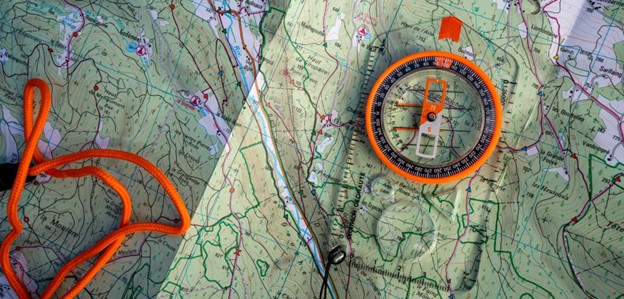
If there’s one detail that causes more headaches than any other in a LiDAR project, it’s this one.
A mismatched coordinate system can throw your entire dataset off by metres, which means misaligned road designs, bad cut-and-fill calculations, wrong utility placements, and expensive rework.
Before the project launches, your team must formally confirm:
Horizontal Datum
Examples include:
- NAD83 (CSRS)
- WGS84
- ITRF
- Provincial/state-specific datums
This ensures LiDAR aligns properly with your existing GIS and CAD layers.
Projection / Coordinate System
Depending on the region, you may need:
- UTM zone
- State Plane
- Albers Equal Area
- Local grid systems used by engineering teams or municipalities
Choosing the wrong projection is one of the fastest ways to “break” spatial alignment.
Vertical Datum
This is critical for engineering:
- Geoid model (e.g., CGVD2013, GEOID12B, GEOID18)
- Ellipsoidal heights
- Local benchmarks or survey monuments
Vertical datums impact every elevation-dependent product:
- DTMs
- DSMs
- Contours
- Flood modelling
- Road design
- Grading
- Hydrology
Ground Control Points (GCPs)
You’ll also need to define:
- Who is supplying GCPs
- Coordinate accuracy
- How they are delivered (CSV, SHP, etc.)
- Whether legacy control exists
- How many points are needed for your target accuracy
Your LiDAR provider will integrate GCPs into the GNSS/IMU solution, but they must match all the datums above.
Why this step matters:
Getting this wrong doesn’t just cause small errors; it breaks the entire dataset.
A 5-minute conversation about coordinate systems can save you thousands in rework.
Need help selecting the right projection or datum for your region?
Reach out to Eagle Mapping’s technical team.
Define the Exact Coverage Area & Buffer Requirements
If there’s one thing LiDAR providers wish every project manager would do upfront, it’s this:
Send a clean, accurate project boundary file.
Coverage areas determine flight lines, acquisition cost, point density, and processing workload, so getting this wrong can derail a project fast.
Here’s what your team needs to prepare before launch:
Provide a Digital Boundary File (Not a Screenshot)
Your LiDAR provider needs a real boundary layer, such as:
- SHP
- KML
- GeoJSON
- DWG / DXF
- KMZ
A screenshot of “the general area” won’t work. The aircraft needs precision.
Include a Buffer (Usually 50–200 metres)
LiDAR acquisition “overshoots” the boundary to ensure:
- Clean edges
- No interpolation gaps
- Smooth surface modelling
- Full coverage of slopes, roads, or water features near the edge
For infrastructure projects like roads, pipelines, or utilities, buffers are critical.
Identify Exclusions or No-Fly Zones
These may include:
- Private parcels without permission
- Restricted industrial sites
- Wildlife areas
- Military zones
- Infrastructure with flight restrictions
Marking these early prevents flight-plan rewrites later.
Highlight Tie-In Areas for Corridors
If your project is linear, roads, powerlines, pipelines, confirm:
- Total length
- Width of corridor
- Any required expansion zones
- Bridge or crossing areas that need added point density
Confirm Vertical Coverage Needs
If you need high point density over buildings, towers, retaining walls, or steep terrain, specify that. It impacts flight altitude and sensor settings.
Why this step matters:
Coverage defines cost, flight time, and accuracy. A clear boundary file can save days of back-and-forth and thousands in rescheduled flight hours.
If you need help preparing a boundary file, Eagle Mapping’s team can guide you.

Clarify Data Formats, Deliverables & Integration Requirements
LiDAR projects can fail not because the data is bad but because the deliverables weren’t defined clearly at the start.
Before acquisition, you must confirm exactly what your team needs, how it will be used, and how it must be formatted.
Common LiDAR Deliverables You Should Define
- Raw LAS/LAZ point cloud
- Classified point cloud (ground, vegetation, buildings, water, etc.)
- Digital Terrain Model (DTM)
- Digital Surface Model (DSM)
- Contours (specify interval)
- Intensity rasters
- Breaklines (water, pavement edges, shorelines)
- Orthophotos (if part of the scope)
- CAD-ready vectors (DWG, DXF)
- GIS-ready layers (SHP, GeoTIFF)
Don’t assume “standard deliverables”, every engineering team uses data differently.
Clarify File Formats and Software Requirements
Your team should specify:
- LAS vs LAZ
- GeoTIFF resolution
- CAD vs GIS deliverable formats
- Whether you need BIM integration or 3D meshes
- Metadata requirements
- Naming conventions
- Folder structure
Engineering Considerations
Before launch, confirm:
- Do designers need breaklines for hydrology or grading?
- Do surveyors need survey-grade vertical accuracy?
- Will the data be used for road design, flood modelling, utilities, or volume calculations?
- Do you require hydro-flattened models or unlimited ground-class returns?
Each of these can affect point density, flight altitude, and processing time.
Delivery Method
Large LiDAR datasets can exceed hundreds of gigabytes. Clarify:
- Cloud delivery (S3, FTP, OneDrive)
- Physical drive shipment
- Secure enterprise transfer
- Data storage and retention requirements
Why this step matters:
LiDAR is only valuable if the format matches your team’s workflow.
Defining deliverables early keeps your project on track and eliminates rework. If you want Eagle Mapping to help you finalize formats, data specs, or integration needs, let us know:

Set Accuracy Targets & Ground Control Requirements
Every LiDAR project rises or falls on one thing: accuracy.
The quality of your elevation models, contours, breaklines, and engineering deliverables is directly tied to how well the project was calibrated, which means you must define your accuracy needs before the flight plan is built.
Vertical Accuracy Requirements
This is the biggest factor affecting flight design and cost.
Your team should define whether you need:
- Survey-grade vertical accuracy (2–10 cm RMSE)
- Engineering-grade accuracy (10–20 cm RMSE)
- General mapping accuracy (20–50 cm RMSE)
Higher accuracy requires:
- Lower flight altitudes
- Higher point density
- More GNSS control
- Longer processing + QA/QC
If you specify “as accurate as possible,” your provider cannot price the job properly. Be specific.
Horizontal Accuracy Requirements
Especially important for:
- Transportation design
- Urban modelling
- Utility mapping
- Floodplain studies
- Corridor projects
Define the required horizontal tolerance so the LiDAR provider can match it.
Ground Control Points (GCPs)
GCPs are the backbone of a correctly calibrated LiDAR dataset.
Your team should confirm:
- Whether the client or the LiDAR provider is responsible for GCPs
- Required accuracy of points
- Quantity and spacing
- Coordinate system and datum
- Format for delivery (CSV, SHP, etc.)
Skipping proper GCP planning is the fastest way to end up with a dataset that doesn’t align with your existing survey or CAD layers.
Quality Assurance / Quality Control (QA/QC)
Before launch, decide whether you need:
- Accuracy reports
- Checkpoint surveys
- Control adjustments
- Classified ground accuracy verification
- Metadata documentation
These requirements impact cost and workflow, so define them early.
Why this step matters:
Accuracy isn’t “fixed in post.” It’s engineered into the project from day one. If you want clean alignment with your CAD, GIS, or survey data, you must define accuracy standards before the aircraft ever leaves the ground. If you’d like help determining the right accuracy targets for your next project, reach out to Eagle Mapping.

Set Accuracy Targets & Ground Control Requirements
Every LiDAR project rises or falls on one thing: accuracy.
The quality of your elevation models, contours, breaklines, and engineering deliverables is directly tied to how well the project was calibrated, which means you must define your accuracy needs before the flight plan is built.
Vertical Accuracy Requirements
This is the biggest factor affecting flight design and cost.
Your team should define whether you need:
- Survey-grade vertical accuracy (2–10 cm RMSE)
- Engineering-grade accuracy (10–20 cm RMSE)
- General mapping accuracy (20–50 cm RMSE)
Higher accuracy requires:
- Lower flight altitudes
- Higher point density
- More GNSS control
- Longer processing + QA/QC
If you specify “as accurate as possible,” your provider cannot price the job properly. Be specific.
Horizontal Accuracy Requirements
Especially important for:
- Transportation design
- Urban modelling
- Utility mapping
- Floodplain studies
- Corridor projects
Define the required horizontal tolerance so the LiDAR provider can match it.
Ground Control Points (GCPs)
GCPs are the backbone of a correctly calibrated LiDAR dataset.
Your team should confirm:
- Whether the client or the LiDAR provider is responsible for GCPs
- Required accuracy of points
- Quantity and spacing
- Coordinate system and datum
- Format for delivery (CSV, SHP, etc.)
Skipping proper GCP planning is the fastest way to end up with a dataset that doesn’t align with your existing survey or CAD layers.
Quality Assurance / Quality Control (QA/QC)
Before launch, decide whether you need:
- Accuracy reports
- Checkpoint surveys
- Control adjustments
- Classified ground accuracy verification
- Metadata documentation
These requirements impact cost and workflow, so define them early.
Why this step matters:
Accuracy isn’t “fixed in post.” It’s engineered into the project from day one. If you want clean alignment with your CAD, GIS, or survey data, you must define accuracy standards before the aircraft ever leaves the ground. If you’d like help determining the right accuracy targets for your next project, reach out to Eagle Mapping.